mirror of
https://github.com/JakeStanger/mpd-discord-rpc.git
synced 2026-09-19 22:55:05 +01:00
[GH-ISSUE #29] Album art not always showing up depending on the song #1084
Labels
No labels
bug
enhancement
help wanted
package
pull-request
wontfix
No milestone
No project
No assignees
1 participant

Notifications
Due date
No due date set.
Dependencies
No dependencies set
Reference
JakeStanger/mpd-discord-rpc#1084
Loading…
Reference in a new issue
No description provided.
Delete branch "%!s()"
Deleting a branch is permanent. Although the deleted branch may continue to exist for a short time before it actually gets removed, it CANNOT be undone in most cases. Continue?
Originally created by @Khosraw on GitHub (Jun 17, 2022).
Original GitHub issue: https://github.com/JakeStanger/mpd-discord-rpc/issues/29
So first of all, I love the new update. I was planning on trying to learn Rust and add the feature myself, but looks like someone read my mind. It's great, but I've noticed that some songs won't have their album art displayed.
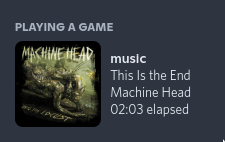
Here are images showing just one example of it:

You can see that the album art is not displayed next to the RPC itself.
Yet
dunstis able to pickup the album art just fine here.This isn't the only song where this happens. This might be because of the method that's being used to get the album art. The album art that is being pickup is included in the song file itself, but if
mpd-discord-rpcis using some third-party to fetch album art, then that might be why it's not picking up the album art. I'm not sure if it is possible, but the program could try fetching the album art from the file itself assuming it's not already trying to do that. I'm not educated on the matter, but I'm sure you will be able to enlighten the idea further.Edit: It seems to be a 50:50 for me as far as which songs have their album art shown.
@Kranzes commented on GitHub (Jun 17, 2022):
I have to add that so far all of my music with proper tags like
Album Artist,Artist,Album,Tracketc, worked fine and it showed the correct album cover.@Khosraw commented on GitHub (Jun 17, 2022):
Looked through the code and it looks like it's using
MUSICBRAINZto fetch the album art. So, my suggestion might be worth noting?@Kranzes commented on GitHub (Jun 17, 2022):
My library doesn't have the
MUSICBRAINZtag anyway. I believe it fall-backs to searching up the album art for the name of theAlbumtag.@Khosraw commented on GitHub (Jun 17, 2022):
I believe less popular songs that are usually not listed on MusicBrainz don't have their album art on there, so they tend to not be displayed.
Sometimes the album art is actually displayed but it's not the correct album art.
@Kranzes commented on GitHub (Jun 17, 2022):
Maybe it would be possible to get the album art if it's embedded into the music file as you said before, or even if there is a file like
{folder,cover}.{jpg,png}in the directory of the album. My concern is that this will require a lot of engineering.@JakeStanger commented on GitHub (Jun 17, 2022):
The crux of the issue is that (as far as I'm aware, I'm very happy to be proved wrong) discord only accepts images in two ways:
This effectively rules out local images unfortunately, which is a darn shame because that'd even allow me to use MPD's built-in albumart commands. The one thing that would be possible is to have your local covers automatically uploaded to some central online location (eg AWS S3), but that would be out of scope for this program.
The reason I chose MusicBrainz is because they're the only major album art API that don't require authentication, and I'd like the feature to Just Werk™ without any setup. This does come with the added advantage of MPD supporting their tags, and also their database is fully open so you can contribute your own changes if anything is wrong/missing.
The process to get the art is as described - first the MUSICBRAINZ_ALBUMID tag is read from the local track, and then it falls back to searching for the album/artist name on MusicBrainz (and takes the first result). This means so long as your tags are accurate, you should get good results.
A good way to set the MUSICBRAINZ_ALBUMID tag in bulk is using their Picard software. Just make sure you configure it to not overwrite any tags you don't want changed!
@Kranzes commented on GitHub (Jun 17, 2022):
The current implementation works great for me so I can't complain.
@Khosraw commented on GitHub (Jun 17, 2022):
Alright, guess I'm uploading some album art today...
@JakeStanger commented on GitHub (Jun 17, 2022):
I'll close this issue for now since, as far as I'm aware, that's the only real solution. If anybody has any ideas, feel free to stick them below and I'll re-open.