mirror of
https://github.com/JakeStanger/ironbar.git
synced 2026-09-20 02:54:53 +01:00
[GH-ISSUE #107] Archlinux compile error #4282
Labels
No labels
A:Build
A:CI
A:Client
A:Config
A:Core
A:Documentation
A:Documentation
A:IPC
A:Testing
A:UX/UI
blocked
BREAKING CHANGE
duplicate
good first issue
GTK4
help wanted
invalid
M:Battery
M:Battery
M:Bindmode
M:Bluetooth
M:Brightness
M:Cairo
M:Clipboard
M:Clock
M:Clock
M:Custom
M:Focused
M:Keyboard
M:Launcher
M:Menu
M:Music
M:Music
M:Music
M:Network Manager
M:Notifications
M:SysInfo
M:Tray
M:Volume
M:Workspaces
partially resolved
P:Critical
P:High
P:Low
P:Medium
pull-request
T:Bug
T:Bug
T:Core Enhancement
T:Module Enhancement
T:New Module
T:Question
wontfix
No milestone
No project
No assignees
1 participant

Notifications
Due date
No due date set.
Dependencies
No dependencies set
Reference
JakeStanger/ironbar#4282
Loading…
Reference in a new issue
No description provided.
Delete branch "%!s()"
Deleting a branch is permanent. Although the deleted branch may continue to exist for a short time before it actually gets removed, it CANNOT be undone in most cases. Continue?
Originally created by @HenrySteinmetz on GitHub (Apr 15, 2023).
Original GitHub issue: https://github.com/JakeStanger/ironbar/issues/107
Describe the bug
To Reproduce
Steps to reproduce the behavior:
Expected behavior
System information:
Additional context
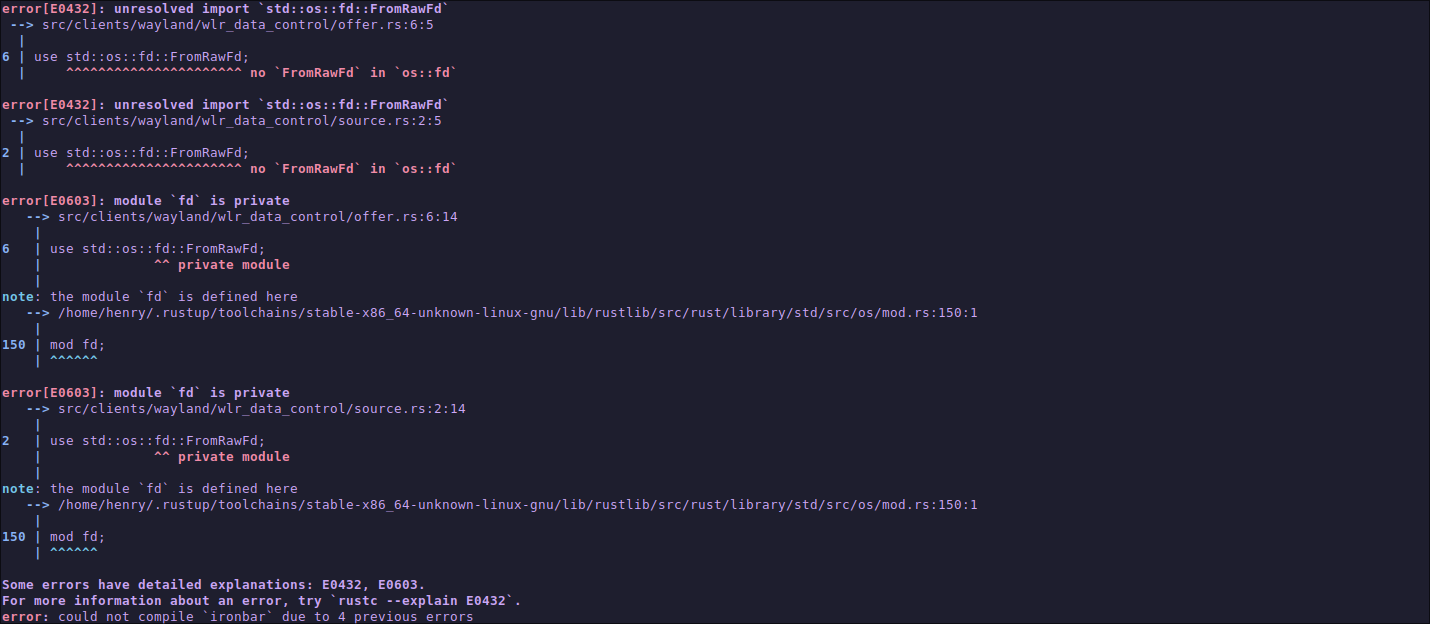
Screenshot
@JakeStanger commented on GitHub (Apr 15, 2023):
This looks like it's caused by an old version of the rust toolchain. Can you try updating that (
rustup updateif you installed via rustup) and see if that resolves it?@HenrySteinmetz commented on GitHub (Apr 15, 2023):
yeah thanks that solved it I'm closing the issue